
The UAE introduced VAT at 5% in January 2018. For many small business owners, it was the first time they had to think seriously about accounting software. Manual bookkeeping simply cannot keep up with the compliance requirements: tax invoices with specific fields, VAT-account tracking, FTA return filing, and the audit trail that comes with it.
The good news is that getting VAT right in the UAE is not complex once your accounting setup is correct. This guide covers everything a small business owner needs to know, from registration to filing, with a focus on the software that makes it manageable.
Do you need to register for VAT?
VAT registration in the UAE is governed by thresholds and business type:
Mandatory registration: Businesses with taxable supplies and imports exceeding AED 375,000 per year must register for VAT with the Federal Tax Authority (FTA).
Voluntary registration: Businesses with taxable supplies exceeding AED 187,500 per year can register voluntarily. This is often worthwhile if your clients are VAT-registered businesses, as they can claim input tax credit on your invoices.
Exemptions: Certain sectors are exempt from VAT or zero-rated, including some financial services, residential property, bare land, and local passenger transport. Healthcare and education are also zero-rated under specific conditions.
If you are not sure whether your turnover crosses the threshold, your accounting software should give you a clear view of your taxable sales for any 12-month rolling period.
What must be on a UAE VAT invoice
A valid tax invoice in the UAE must include specific fields to be compliant with FTA requirements. Missing any of these means the invoice is not a valid tax document, which affects whether your clients can claim input tax credit.
Required fields on a UAE tax invoice:
- The words “Tax Invoice” must appear on the document
- Your registered trade name and address
- Your Tax Registration Number (TRN)
- Invoice date (date of supply)
- A unique sequential invoice number
- Client name and address
- Client TRN (if the client is VAT-registered)
- Description of goods or services
- Unit price, quantity, and value per line item
- Applicable VAT rate per line (0%, 5%, or exempt)
- VAT amount per line
- Total amount excluding VAT
- Total VAT amount
- Total amount including VAT
- Currency (AED, or foreign currency with AED equivalent)
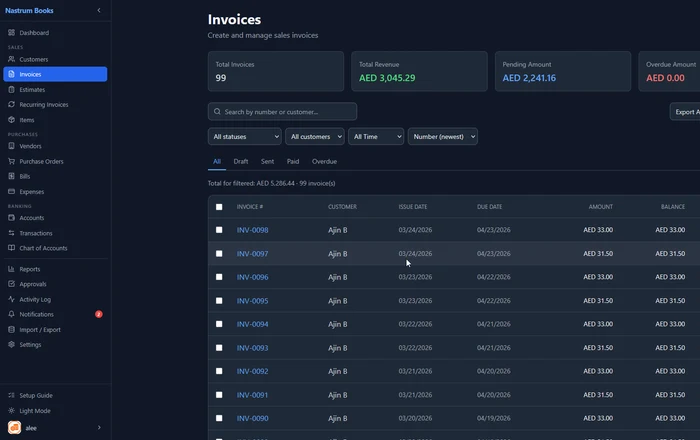
For smaller invoices (under AED 10,000), a simplified tax invoice can be issued, which has fewer required fields. Your accounting software should be able to handle both formats.
Setting up VAT in your accounting software
Step 1: Enter your TRN
In Settings, find your tax configuration and enter your Tax Registration Number. This will automatically appear on all invoices and documents you generate.
Step 2: Configure your VAT rates
Set up:
- Standard rate: 5% (the default for most goods and services)
- Zero rate: 0% (for exports, certain sectors)
- Exempt: for transactions not subject to VAT
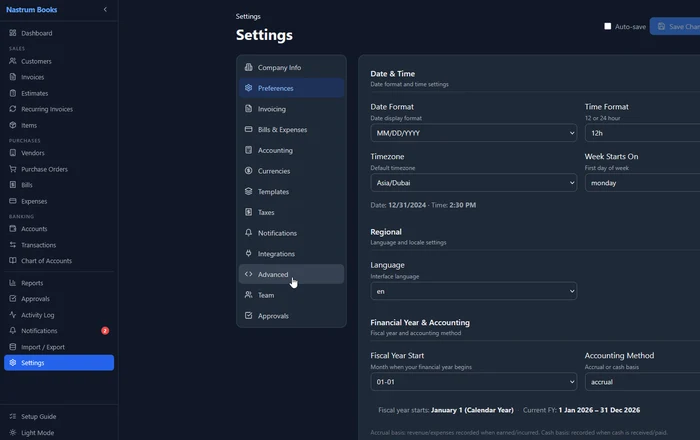
Step 3: Assign VAT rates to your products and services
For each product or service in your catalogue, assign the appropriate VAT rate. When you add a line item to an invoice, the correct rate applies automatically. No manual calculation.
Step 4: Add client TRNs
When you add a client, store their TRN if they are VAT-registered. It will appear on invoices automatically.
Tracking VAT across your accounts
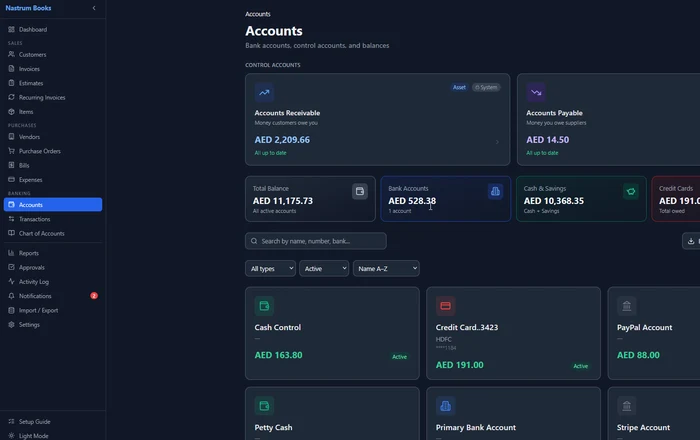
VAT creates two separate obligations you need to track:
Output VAT: The VAT you collect from your clients on sales. This is a liability. You hold it on behalf of the FTA until you file your return.
Input VAT: The VAT you pay on your business purchases (supplier invoices, expenses). This is recoverable. You deduct it from your output VAT when you file.
VAT payable = Output VAT collected minus Input VAT paid
Your accounting software should track these automatically. Every invoice you issue contributes to your output VAT balance. Every bill or expense you record with VAT contributes to your input VAT balance. The net figure is what you declare and pay (or receive in refund) when you file.
VAT returns and FTA filing
UAE VAT returns are filed quarterly for most businesses. The FTA’s EmaraTax portal accepts the return data. Your accounting software should generate a VAT report that gives you all the figures you need to complete the return.
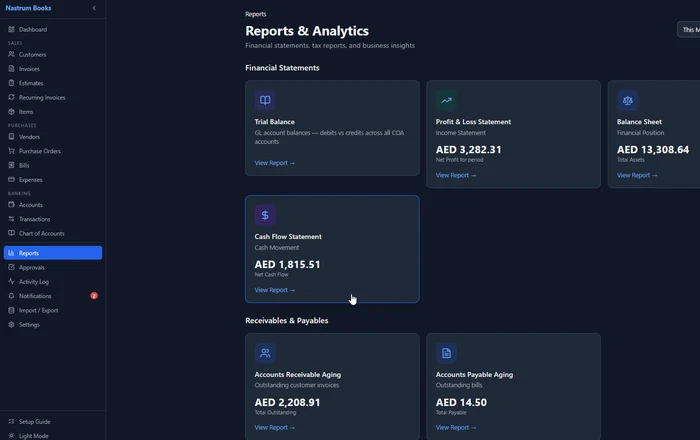
The key figures needed for your VAT return:
- Total standard-rated sales (Box 1a)
- VAT on standard-rated sales (Box 1b)
- Total zero-rated sales (Box 2)
- Total exempt supplies (Box 3)
- Total standard-rated purchases subject to input VAT (Box 9)
- Recoverable input VAT (Box 10)
Your Tax Report should break down each of these. If the categories do not match exactly, your accountant can map them across.
Configure your TRN, set up 5% VAT, and start issuing compliant tax invoices in minutes. Nastrum Books is free forever for solo users.
Start Free →Multi-currency invoicing in the UAE
Many UAE businesses invoice in multiple currencies. A construction company might invoice in AED locally and USD for international clients. A consultancy might work across GCC markets with invoices in SAR, QAR, and AED.
Nastrum Books handles multi-currency from the ground up. You can:
- Invoice in any currency with live exchange rates
- Record AED equivalent on each foreign currency invoice (required for VAT reporting)
- Track foreign exchange gains and losses automatically
- View all balances in your base currency (AED) for reporting
For VAT purposes, all values on VAT returns must be in AED. If you invoice a client in USD, the AED equivalent at the invoice date must be stated on the tax invoice. Your accounting software should handle this conversion automatically.
Common VAT mistakes small businesses make in UAE
The FTA conducts random audits and imposes penalties for non-compliance. These are the most common areas where small businesses fall short.
Not registering on time: Businesses that cross the AED 375,000 threshold must register within 30 days. Late registration attracts a penalty.
Issuing invoices without TRN: Every tax invoice must include your TRN. Invoices without it are non-compliant.
Missing “Tax Invoice” label: The phrase must appear verbatim on every tax invoice.
Not keeping records for 5 years: FTA requires all VAT-related records (invoices, credit notes, import documents, accounting records) to be retained for 5 years (15 years for real estate). Cloud accounting software solves this automatically.
Claiming input VAT on non-business expenses: Only business-related purchases qualify for input tax credit. Personal expenses, entertainment (in some cases), and certain vehicles do not qualify.
Late filing: VAT returns must be filed by the 28th of the month following the end of each tax period. Late filing incurs a penalty, even if no VAT is owed.
Frequently asked questions
Configure your UAE VAT setup in minutes. Nastrum Books is free forever for solo users and includes full VAT support with AED as your base currency. Start your free account.